
Tracking Client Progress
Last updated 10 April 2025
Learn how to monitor your client’s activity, understand their engagement, and make informed decisions based on real data.
Once you’ve assigned plans, bolder.fit makes it easy to track what your clients are actually doing—so you can coach with clarity and precision.
📊 Where to Track Progress
You can track client activity from multiple places:
🏠 Home Dashboard (Quick View)
- Shows high-level metrics like:
- Number of clients
- Workout plans assigned
- Nutrition plans assigned
- A quick glance helps you know who’s active and who might need a check-in.
📆 Plan Page - Progress Tab
Inside the Progress tab, you’ll find two powerful views:
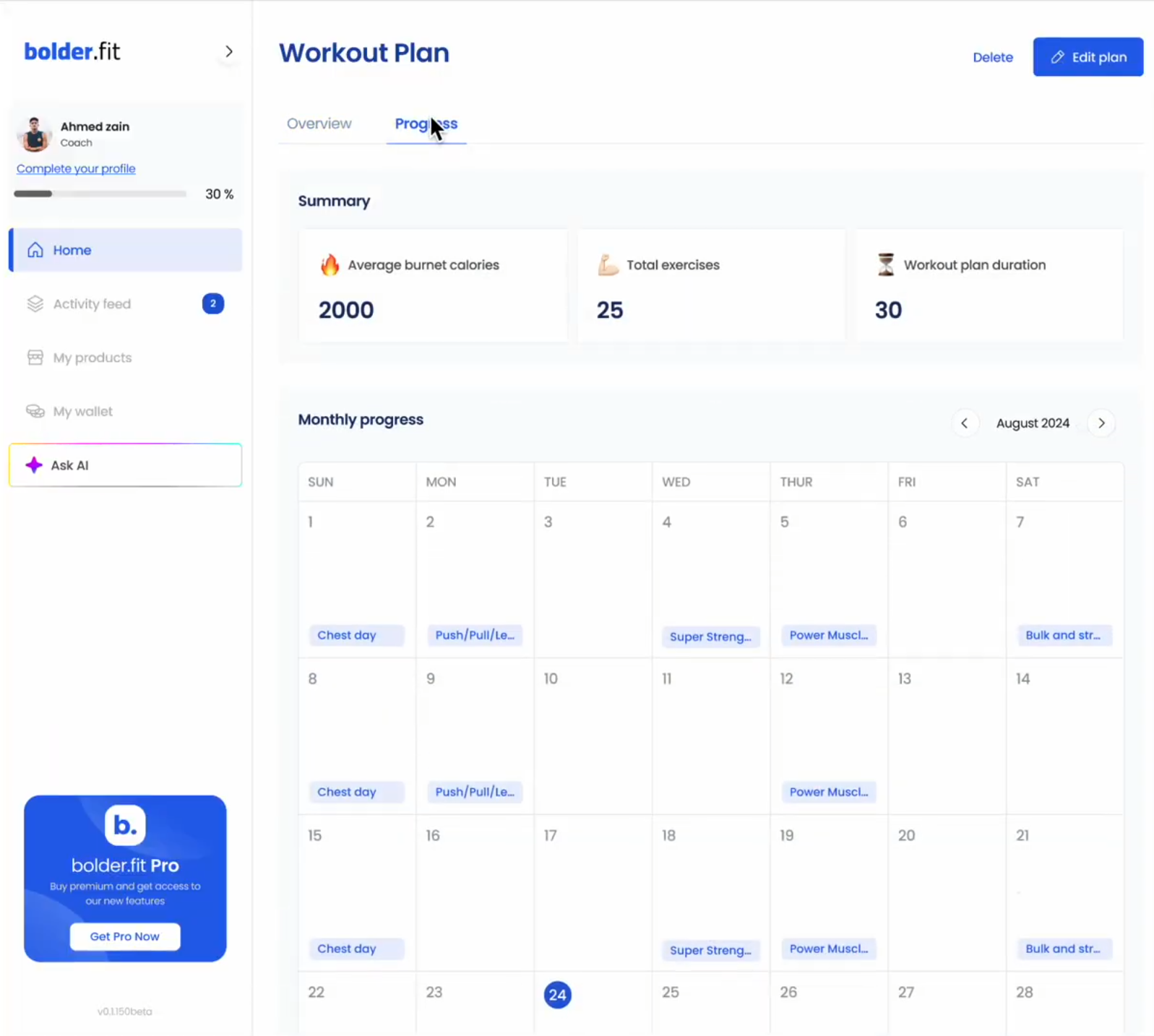
1. Calendar View (Daily Logs)
- See which days the client:
- Logged workouts or meals
- Color-coded for easy scanning
2. Plan Charts
- Visualize overall adherence and trends:
- Completion rate over time
- Logged vs. assigned sessions
- Weekly engagement
🔍 Use this to spot patterns and adapt plans for better results.
💡
How to Access It
- Go to the Clients tab or click a client from the dashboard.
- Open one of their assigned plans.
- Switch to the Progress tab to see detailed tracking.
📝 Client Check-Ins & Logs
Clients can:
- Mark workouts/meals as complete
You can:
- View all logs chronologically
- React or comment to maintain motivation
- Use feedback to adjust their next plan cycle
💡
Pro Tip:
Respond to logs or notes weekly to keep clients engaged and accountable.
🔁 When to Adjust a Plan
You might want to update a plan if:
- The client is consistently missing sessions
- They’ve completed a full cycle
- Their goals or circumstances have changed
💡
Pro Tip:
Use the “Edit Plan” option from the plan details to modify any part of their current plan.