
Payments and Getting Paid
Last updated 10 April 2025
Learn how client purchases are processed, how to track your earnings, and how to manage your payout settings.
Your coaching is valuable—bolder.fit makes sure you get paid for it. This section explains how the payment flow works, what your clients see, and how you can manage and receive your earnings.
💳 How Clients Pay for Programs
Once a client completes registration using your invite, they are redirected to your Coach Programs Page, where they can:
- Browse your active programs
- See program prices, descriptions, and duration
- Choose to purchase directly through the platform
Clients can pay via:
- Credit/debit card
- Mobile Wallets
- Local Payment Methods (Egypt)
- (Optional) External methods like bank transfers or cash — in which case, they can skip payment
Quick Tip:
If a client skips payment, their join request still reaches you, and you can track them manually.
📥 What Happens After Payment
Once the client completes payment:
- You’ll receive their Client Request in your dashboard.
- The payment is linked to the program they purchased.
- Once accepted, you can assign the plans tied to that program.
Quick Tip:
You are only expected to provide coaching during the program duration defined in the product.
💼 Coach Wallet Overview
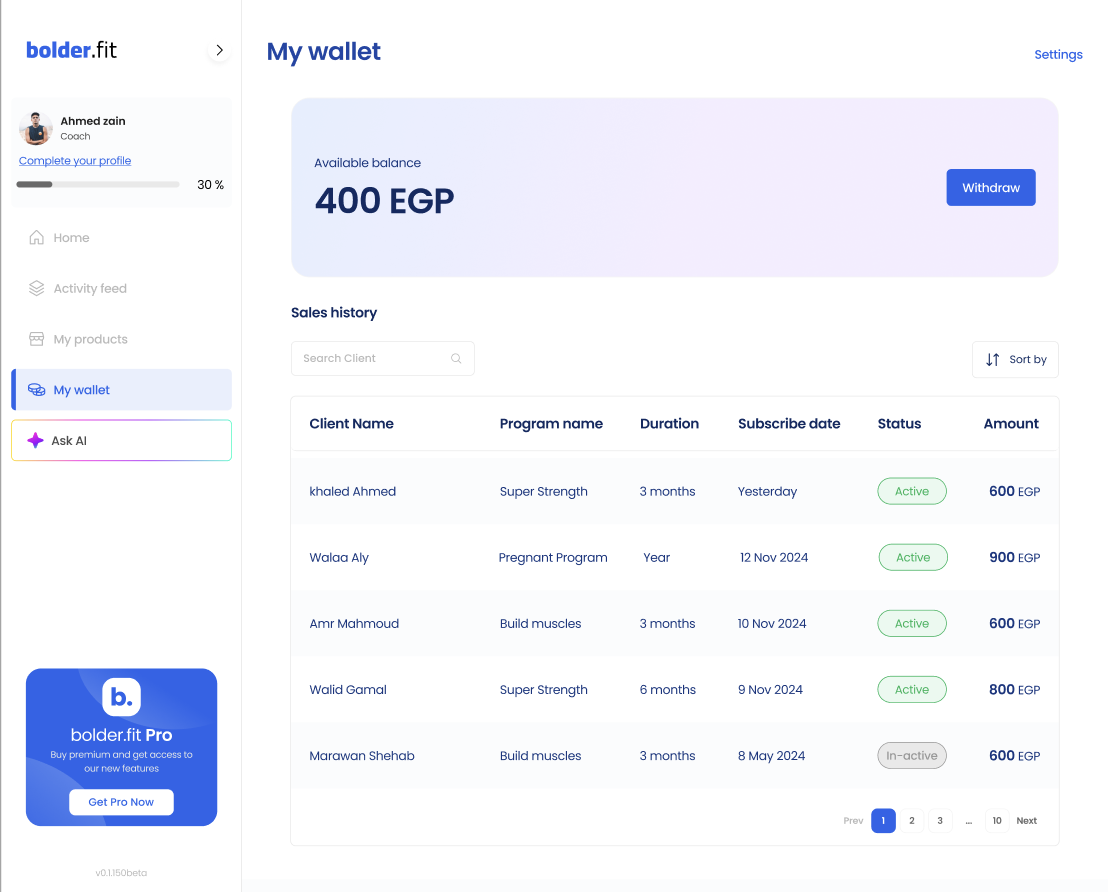
Go to My Wallet in the sidebar to manage your earnings.
There you’ll find:
- Earnings Summary
See your total income, pending payouts, and upcoming payments.
- Transaction History
Track when each payment was made, the amount, and which client it came from.
- Payout Schedule
View when your next payout is due, and how it will be delivered.
🏦 Managing Payout Settings
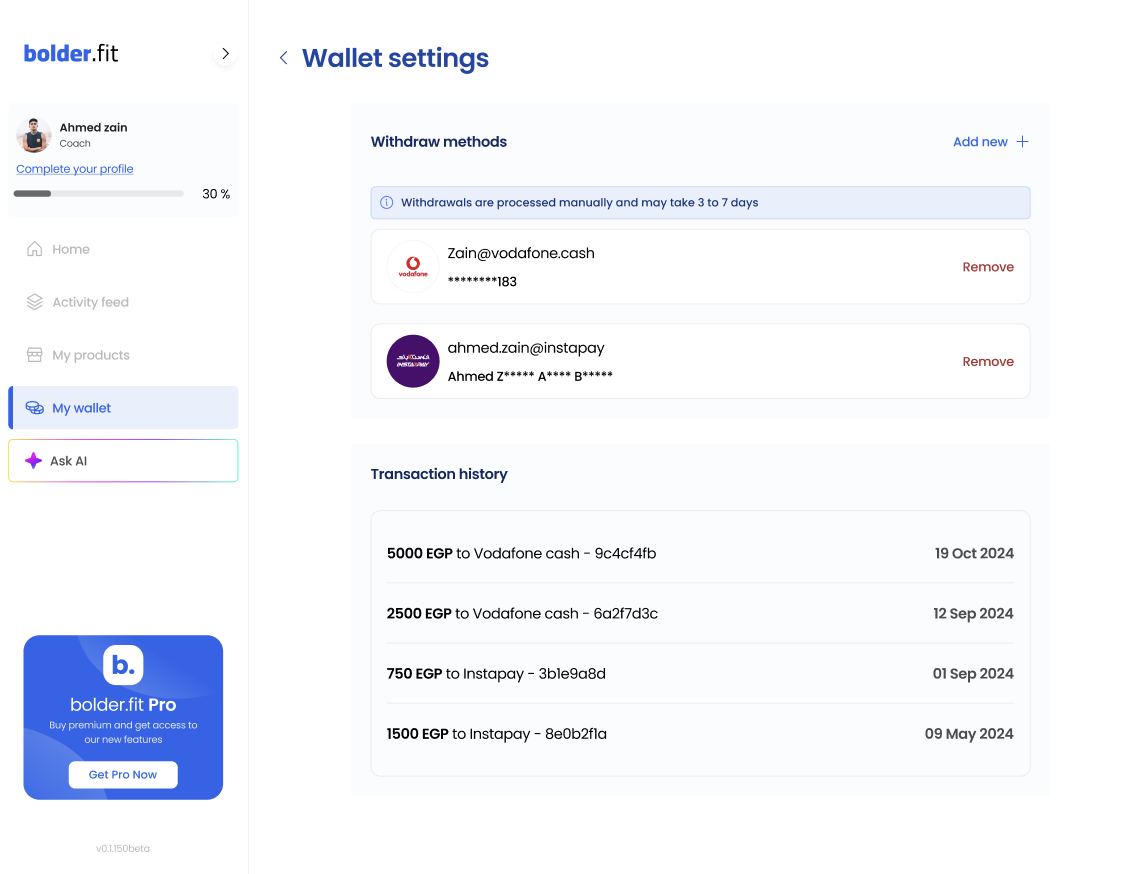
To get paid:
- Head to My Wallet > Settings.
- Add or update your payout method (e.g., bank account or mobile wallet).
- Confirm any required identity details (for compliance).
Once your setup is complete, payouts are processed automatically on a weekly or biweekly basis (depending on your region).