
Managing Your Products
Last updated 11 April 2025
Learn how to create, organize, and monetize your programs using the “My Products” section.
The My Products page (previously known as the Program Library) is your space for creating and managing sellable coaching programs. These programs bundle together your coaching time, workout plans, and nutrition guidance into a single offering your clients can purchase.
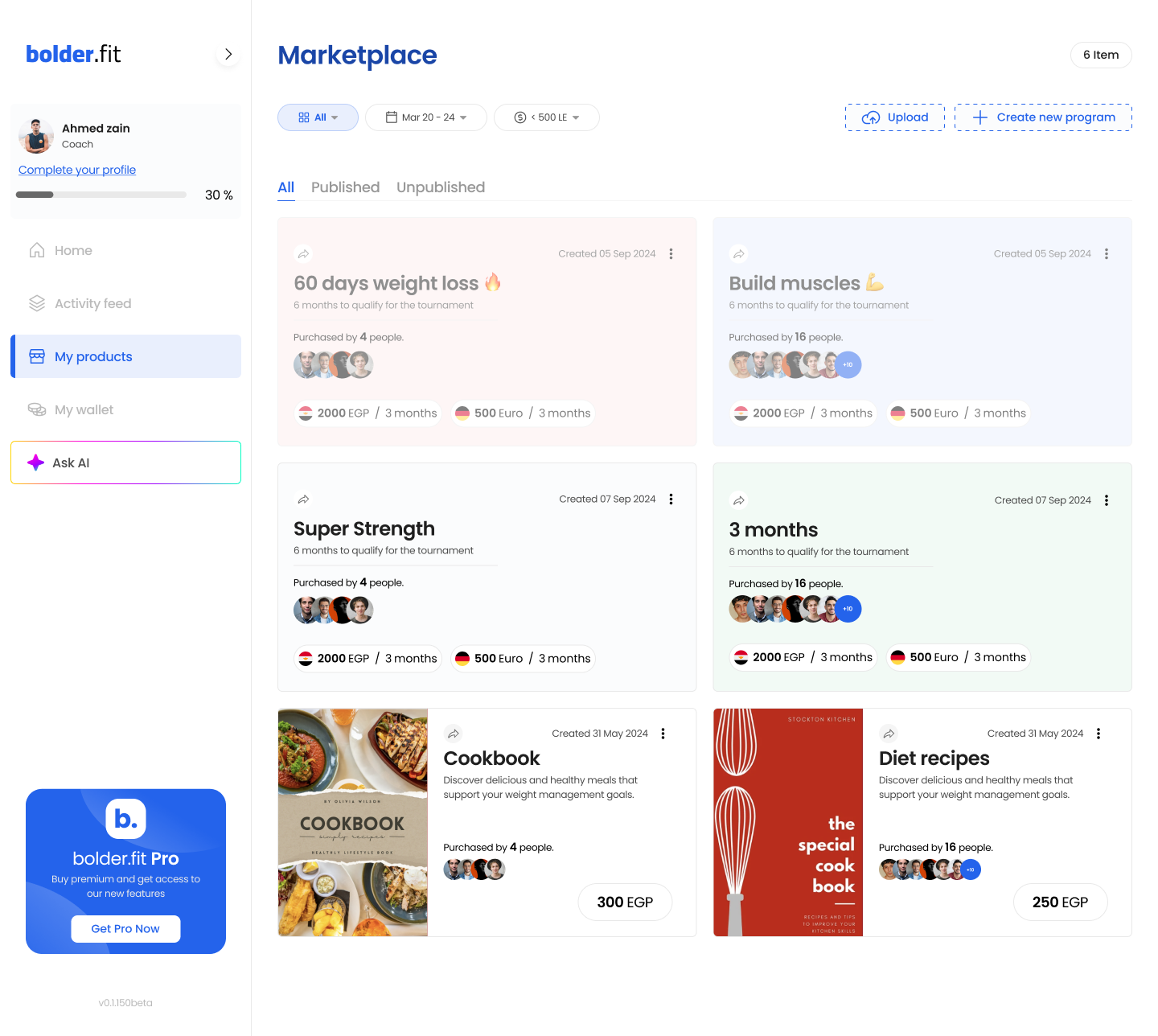
💼 What is a Program?
A Program is a monetizable coaching product that includes:
- 🏋️ Workout Plans
- 🥗 Nutrition Plans
- ⏳ Coaching Duration (e.g., 4 weeks, 8 weeks, etc.)
When a client purchases your program, they’re not just buying plans—they’re buying access to you and your coaching for a limited time.
Pro Tip:
Programs are the core of your business model inside bolder.fit. They allow you to scale your coaching while maintaining structure and value.
➕ Creating a New Program
To create a new program:
- Go to My Products.
- Click “Create Program” (top-right).
- Fill out the core details:
- Program name
- Duration (in weeks)
- Price
- Features (what the client gets)
- Save it — and it becomes available for clients to view and purchase on your profile.
🛒 How Clients See It
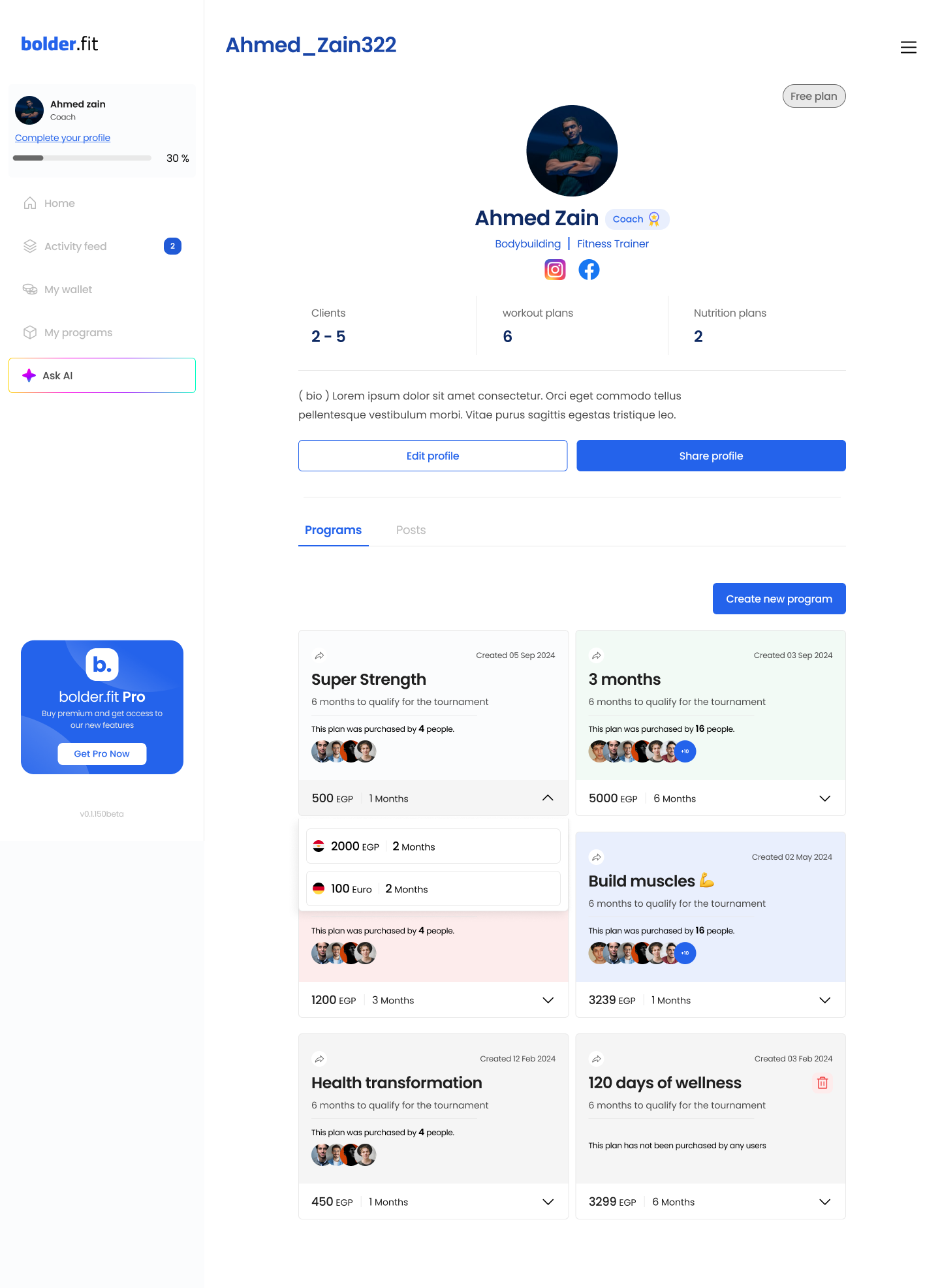
When clients are redirected to your Coach Programs Page (after signup or via your shared link), they’ll see all your available products:
- Title, duration, and pricing
- Summary of what’s included
- Purchase option
Once purchased, the client’s join request lands on your dashboard, ready for approval.
🛠️ Managing Existing Programs
Inside My Products, you can:
- ✏️ Edit a program's description, price, or duration
- 📈 Track interest by seeing how often a program has been purchased